

One of EA SPORTS FC 27's most distinctive Career Mode additions is Manager Live Creator Challenges. Instead of only attempting an EA-designed Manager scenario, you can build your own football story: select objectives, impose squad-building restrictions, set a simulation deadline, publish it and share a unique Share Code. A points-deduction rescue mission or youth-only rebuild could be interesting ideas, but these examples are our suggestions rather than official EA event titles.
There are important caveats before you select Publish. EA Help says published Creator Challenges cannot be edited; player-made challenges do not award rewards; and cross-platform sharing works only within supported console generations, with Nintendo Switch 2 challenges restricted to Switch 2. These rules affect how you design a fair scenario and how you invite friends.
We checked EA's dedicated Creator Challenges guide, the official FC 27 Career Deep Dive, the launch roadmap and EA's feature-restriction policy. Below is a step-by-step creation, discovery and troubleshooting guide that separates documented game behavior from our independent design advice.
Manager Live versus Creator Challenges
- Use the signed-in web Creator Portal to design a scenario.
- Share Code identifies one specific published challenge.
- Published challenges cannot be edited; make a new version.
- Player-created challenges have no rewards; some Studio challenges do.
- Cross-platform sharing has generation and Switch 2 restrictions.
Manager Live is the Career hub for starting goal-driven scenarios rather than only a traditional manager save. It contains EA/Studio challenges and community challenges. A Creator Challenge is specifically a scenario that a user designs and publishes with their own rules.
Sharing a challenge means sharing the defined scenario through a code, not handing a friend the credentials or the full personal Career save. The other player follows the conditions you set when the challenge was published.
Open the Creator Portal from My Challenges
EA's Career Deep Dive says to visit the My Challenges tab in Manager Live and scan the QR code to launch the new web-based Creator Portal. You can work on a phone, tablet or computer, instead of authoring every rule through the console's on-field interface.

The dedicated EA Help article requires signing into the portal with your EA Account. Use your own account and never share the password or authentication codes with anyone offering to 'publish for you'.
Create a challenge step by step
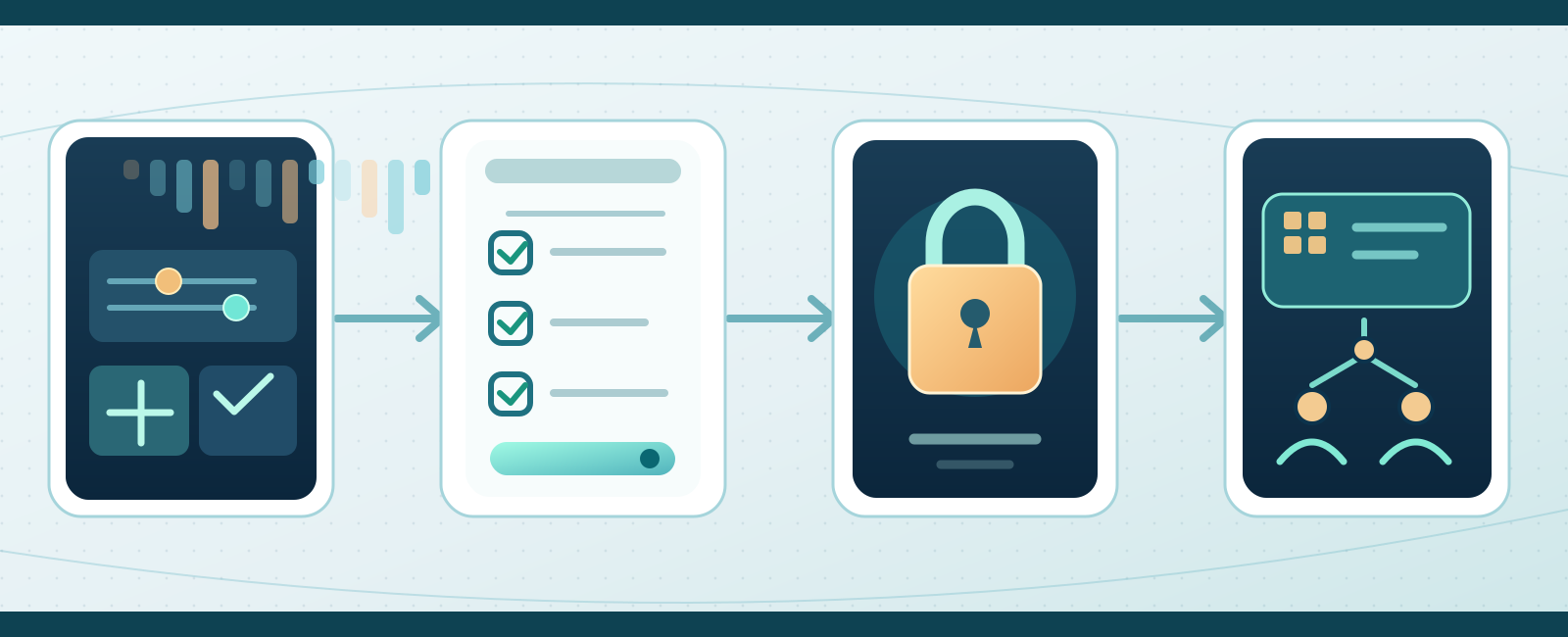
- Create
- Review
- Publish: editing locked
- Share Code
EA's documented sequence is to sign in, provide a name and description, pick the challenge's rules and conditions, review the settings and launch it. Then copy the unique Share Code.
Write the description so another player understands where the manager begins, what success requires and how long the attempt can last. Do not press Publish until the challenge conditions are readable and internally consistent.
Objectives and simulation deadlines
Creators can specify Objectives and the simulation deadlines by which those objectives must be completed. This makes a challenge different from simply playing a chosen club through an ordinary save at your own pace.

A suggested challenge might require finishing high in the table under a constrained squad before the season ends. It is a proposed design idea, not a claim that EA publishes a fixed reward for that particular scenario.
Difficulty, national teams and development rules
EA Help explicitly lists adjustable conditions related to Difficulty, National Teams, Scouting, Youth Players and Point Deductions. Combining these can create interesting sporting limitations without inventing a new competitive mode.
For a youth-development challenge, give enough time for prospects to contribute. For a points-deduction scenario, clearly specify what success looks like after the deduction. Fairness is a design decision, not an automated EA quality certificate.
Review carefully before publishing
Check the name, description, objectives, deadlines and every restriction. Ask whether the requirements contradict one another or make winning depend on an unstated rule. EA does not promise that publishing will automatically repair an impossible combination.

This review matters because you cannot simply reopen an active scenario and correct one line afterward. Ask a friend to read the rules before publication if the challenge is intended for a wider community.
Published challenges cannot be edited
EA Help explicitly states that once you launch a Creator Challenge you cannot edit it. To change rules or settings, you must make a new challenge. A typo or mistaken difficulty therefore should be addressed with a replacement rather than an assumed edit button.
Career Deep Dive says published challenges can be deleted to free space. Deleting is not the same as editing an existing code while preserving its identity or history; make the new version and communicate its new code.
How many challenges may be published?
EA says every Manager Career user can have at least ten Creator Challenges published at once and can delete published entries at any time to make room for new creations.

'At least ten' is not a blanket guarantee of a larger personal cap for every account. Before deleting a widely shared scenario, consider that people using its old code may no longer find it.
Copy and distribute a Share Code
Every published challenge receives a unique Share Code. Copy it to send to friends or a community, alongside a brief summary of the club, difficulty, deadline and special restrictions.
The official deep dive also describes sharing through an EA Friends network from the Challenge Completion screen. A public challenge code is sufficient for discovery; account logins and private verification codes are never part of the invitation.
Enter a friend's challenge in Manager Live Hub
Open Manager Career > Live for the Manager Live Hub. Enter the supplied Share Code to load a specific user-created challenge. You can also browse the Hub's visible challenges without entering a code.
EA Help is clear that locating one particular player-created challenge requires its Share Code. If the code fails, confirm every character, whether the creator still has it published and whether the device generations are compatible.
Discover official and community challenges
The FC 27 Career Deep Dive says Manager Live increased its tabs from 15 to 30 and the number of visible challenges per tab from 5 to 20, with sorting and filtering by leagues, countries, teams and other preferences.
Some entries may be EA-curated or Studio-made rather than a friend-created scenario. Browse to discover ideas, but use the Share Code if the goal is a specific person's custom challenge.
Cross-platform is not unrestricted cross-generation
EA Help says Creator Challenges can be shared across platforms within the same console generation. Its explicit example is that a PlayStation 5 Creator Challenge can be accessed on Xbox Series X|S but not PlayStation 4.
The broader Career Deep Dive promotes cross-platform discovery, but the more detailed help page narrows actual compatibility. Tell friends the target generation rather than promising a code will work on all older hardware.
Nintendo Switch 2 has a separate rule
EA's specific help article says Nintendo Switch 2 Creator Challenges can only be accessed on Nintendo Switch 2. Do not infer PS5/Xbox Series sharing also applies to Switch 2.
If you publish to a mixed-platform community, state which system or generation you tested. A rejected share code can be a platform compatibility problem rather than an account sanction.
Do player-made challenges give Season Points?
EA states player-created Creator Challenges do not offer rewards. Some other challenge types may grant rewards such as Season Points or kits, but do not assume those are attached to a challenge you or another regular player publishes.
That distinction is important when advertising a community event. A custom scenario can offer fun and bragging rights, but should not be promoted as a guaranteed source of SP, FUT Coins, packs or players.
Reporting inappropriate creations and feature restrictions
Player-made content that violates EA's rules can be reported, and the creator may lose permission to create or publish through a feature restriction without losing the entire game's other modes.
EA's feature-restriction Help says the account holder receives an email, can check My Penalty History and may appeal through available options. Avoid abusive titles or descriptions and do not suggest tools for bypassing a publishing restriction.
Five ingredients of a fair community scenario
Try one clear sporting objective, one or two constraints, a reasonable simulation deadline, a difficulty level and a description that explains what counts as success. Possible independent themes include rescuing a points-deducted club or developing academy players without big transfers.
These are coaching suggestions, not EA's official challenge templates. Start with an achievable short test and ask someone on a supported console generation to try opening the published Share Code before sharing it widely.
Common questions and a final test
Can I edit a published challenge? No—create a new one. Do player-created challenges award items? No. Does a friend need a Share Code for my exact creation? Yes. Are all consoles compatible? No; same-generation restrictions and Switch 2 isolation apply.
Open My Challenges to confirm the active publication, copy only the share code, and verify it from another compatible account if you can. Use EA's current Help guidance rather than assuming a feature behaves as it did in FC 26.
Official sources and review date
This guide follows EA Help Creator Challenges, EA FC 27 Career Deep Dive, the September FC 27 Launch Update and EA Help Feature Restrictions. It reflects official material available on October 8, 2026; the assortment of featured challenges may change during the season.