

Two people can play the same first-person game at the same performance settings, yet only one feels dizzy after twenty minutes. One streamer loves a swinging camera that makes combat feel cinematic; another player has to quit because that same movement causes discomfort. The difference is not a test of gaming skill. Microsoft's updated accessibility guidelines explain how moving images can conflict with the body's sense of physical motion, and Meta's VR design rules describe related problems in immersive experiences. Rather than recommending one magic FOV number, we can examine why some games feel uncomfortable and what thoughtful game design gives players.
What motion sickness in games actually means
Visually induced motion sickness describes symptoms such as nausea, dizziness, disorientation or eye discomfort associated with visual motion. A gamer can experience this even while seated and physically still. It is not the same as poor hand-eye coordination, and it is not proof of a particular medical condition from a game alone. Sony's health warning advises stopping a VR experience if such symptoms begin, while Microsoft's game-accessibility guidance acknowledges motion discomfort in ordinary screen-based titles too.
Why your eyes and balance system can disagree
The central explanation is a mismatch between visual cues suggesting movement and the vestibular and body signals saying the person is not moving in the same way. Imagine an FPS camera tilting, bobbing and accelerating while its player sits on a chair. The brain receives competing information, although sensitivity and circumstances vary considerably. Meta describes minimizing sensory mismatch as a core principle of VR comfort. This mechanism explains a common cause, not every possible headache or episode of dizziness.

First-person views are not automatically the problem
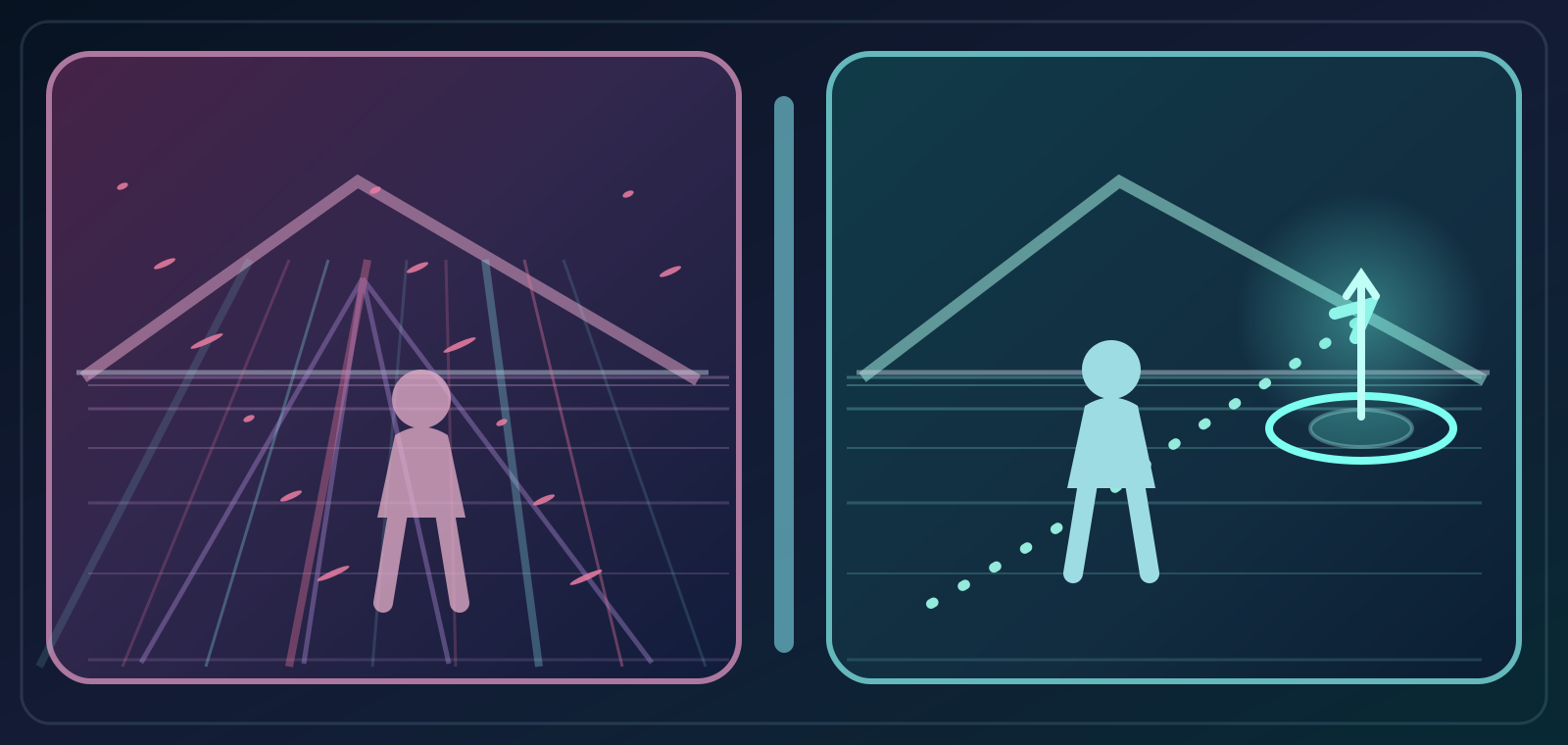
A fixed first-person viewpoint may feel natural when players directly control its movement, while a third-person game with violent camera wobble can be uncomfortable. Camera behavior matters as much as the genre label. Repeated vertical movement, sudden forced rotation, weapon sway and scripted changes can all add unnecessary visual motion. Microsoft's Xbox Accessibility Guideline 117 recommends allowing players to reduce or disable such effects, while still preserving the movement that the actual game requires.
Camera bob and shake: immersion versus comfort
Head bob makes the view rise and fall with footsteps, and screen shake exaggerates impacts or explosions. Both can communicate speed and weight, but they also move the entire world even when the player did not intentionally rotate the camera. An adjustable intensity slider or an off switch respects those who enjoy the effect and those who find it distressing. Accessibility is not a demand to remove style from every game; it is a request to separate essential gameplay feedback from optional camera spectacle.
Motion blur is not the same as smooth movement
Motion blur can make animation appear more film-like, but a smeared scene can also make it harder for some players to identify a stable visual reference during turning. Turning blur off does not increase the game's real frame production rate. Similarly, high FPS alone cannot remove every source of discomfort if the camera is constantly shaking. Microsoft's guideline specifically identifies motion blur and camera effects as settings developers should permit players to change, rather than treating them as untouchable artistic choices.
Why one universal FOV number is a bad promise

- Camera shake
- Field of view
- VR locomotion
FOV, or field of view, changes how wide an angle the camera displays. Too narrow a view may seem like looking through a tunnel for some players, while an extremely wide FOV can distort edges into a fishbowl effect for others. Microsoft's examples explicitly show both trade-offs. Comfortable values depend on viewing distance, monitor size, game geometry and the individual. A guide claiming that exactly 90, 100 or 110 degrees will cure everyone's nausea confuses a personal comfort preference with an established universal remedy.
How frame pacing can affect the experience
Uneven frame delivery, visible stutter and delayed camera response can worsen the sense that screen movement does not correspond to player input, particularly in immersive displays. Meta lists consistent frame rate among its techniques for lowering VR discomfort. It is important to distinguish frame pacing from the number on an FPS counter: a similar average can hide inconsistent intervals between displayed frames. Improving consistency may help some users, but is not a guaranteed cure for motion sensitivity.
Automatic camera motion steals control
Some games automatically center the camera, pull focus toward objectives, shift the view during attacks or move it in cutscenes without matching a player's input. For someone who is sensitive to visual motion, this reduces the ability to predict what will happen next. Microsoft recommends options to adjust camera sensitivity or disable automatic camera movement. Where cinematic sequences require such movements, a clearer transition or optional reduction can preserve the story while improving comfort.
The difference between VR and a flat screen
Virtual reality can introduce stronger sensory conflict because large parts of the visual world move with head tracking and simulated locomotion, while the body's balance signals may disagree. A flat monitor and a VR headset are not interchangeable experiences, even when the same game world is displayed. Sony advises new PS VR2 users to begin with short sessions and seated play, and Meta discusses techniques for avoiding visually induced motion sickness. Neither platform claims that every user can safely train away all symptoms.
VR locomotion: smooth movement or teleport?
VR games can implement continuous joystick-driven movement, snap turns, teleportation, stable horizons and vignette options. Meta describes different comfort risks for various locomotion styles and suggests choices such as snap turns, steady frame delivery and suitable transitions. Teleportation can reduce a specific type of simulated travel but may create its own disorientation if presented poorly. There is no single perfect movement model for every player; the point is to explain trade-offs and let users select an appropriate mode.
Examples of games that offer real choices
Microsoft's accessibility examples include Halo Infinite sliders for screen shake, blur and full-screen effects, and Cyberpunk 2077 options for additional camera movement. Its Xbox news also highlights South of Midnight settings addressing motion sickness and visual movement. These examples demonstrate that modern games can provide fine-grained choices instead of a single vaguely named 'accessibility' switch. The presence and naming of specific features should always be checked in the game's current version.
What older studies can and cannot tell us
An older controlled experiment on console games, published in 2008, reported motion sickness in a small sample of forty undergraduate students under its particular conditions, with proportions between 42 and 56 percent. Those values are not a population-wide estimate for modern gamers or a claim that half of all players become ill. The hardware, exposure and sample are specific, and games and screens have changed. The study supports the existence of the effect, not a universal prevalence rate or a single recommended FOV.
What players can reasonably try
Players can start by exploring available settings for head bob, camera shake, motion blur, automatic re-centering and FOV, changing one variable at a time so they know what helps. For VR, official comfort modes, seated play and shorter initial sessions may be useful. Display distance and a stable visual reference may also matter. These are individual experiments rather than medical prescriptions. If a game lacks such options, feedback to its developers can encourage better design.
When to stop instead of pushing through
Feeling increasing nausea, dizziness, blurred vision or disorientation is a reason to stop play rather than compete through it. Sony's safety instructions advise removing a VR headset and resting if symptoms appear; persistent or severe symptoms warrant appropriate medical attention. Its general gaming warnings also encourage breaks and avoiding prolonged play when tired. This article cannot diagnose the reason a particular person feels unwell, and one game setting should not be presented as treatment for ongoing symptoms.
What accessibility-first developers should provide
Developers can offer independent sliders for FOV, blur, camera bob, screen shake, forced rotation and auto-centering; clear defaults; previews; and persistent user preferences. VR titles can provide comfortable locomotion alternatives and accurate comfort descriptions. Accessibility guidance asks that moving text and decorative background animations be pausable or dismissible, not just that combat cameras become stable. Design that allows players to reduce nonessential motion broadens participation without preventing others from enjoying richer effects.
Conclusion: comfort is part of game quality
Motion comfort is not an insignificant complaint or a sign that someone is a 'bad gamer'. It is a combination of sensory perception and design decisions that vary among people and devices. The evidence supports letting players tailor movement, view and visual effects while recognizing limits to any one fix. Good accessibility means fewer involuntary camera tricks, clear choices, stable experiences and respect when someone needs to stop. A game's visual identity can coexist with players' right to enjoy it comfortably.
Sources & references6
Primary sources / المصادر الأساسية (checked 2026-10-09)
- Microsoft Learnlearn.microsoft.com
- developers.meta.com — locomotion comfort usabilitydevelopers.meta.com
- PlayStation Support — health warningplaystation.com
- PlayStation Support — psvr2playstation.com
- Xbox — global accessibility awareness day 2025 xboxnews.xbox.com
- pubmed.ncbi.nlm.nih.gov — 18516842pubmed.ncbi.nlm.nih.gov